Python input() 函数
- 可以使用内置函数 input() 读取 Python 用户从键盘输入的内容。
- 用户输入的内容会被读取为字符串,并可以赋值给一个变量。
- 在键盘输入数值后,我们需要按下“回车”键。然后,input() 函数会读取用户输入的值。
- 程序会无限期地等待用户输入,没有设置超时值的选项。
- 如果输入 EOF (*nix:Ctrl-D,Windows:Ctrl-Z+回车),则会引发 EOFError 错误,程序终止。
input() 函数的语法
input() 函数的语法如下:
python
input(prompt)提示字符串会打印在控制台上,并将控制权交给用户来输入值。你应该打印一些有用的信息来引导用户输入正确的值。
在 Python 中获取用户输入
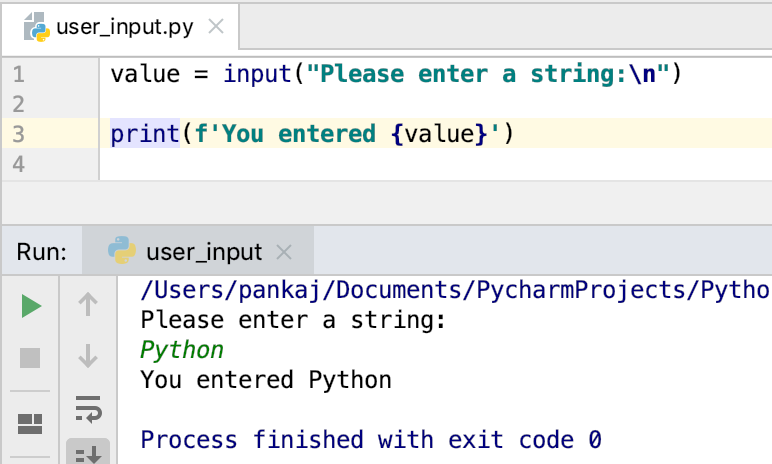
以下是一个获取用户输入并将其打印到控制台的简单示例。
python
value = input("Please enter a string:\n")

print(f'You entered {value}')
输出:
用户输入的值是什么类型?
用户输入的值总是会被转换成字符串,然后赋值给变量。让我们使用 type()函数来获取输入变量的类型,以此来验证这一点。
python
value = input("Please enter a string:\n")

print(f'You entered {value} and its type is {type(value)}')

value = input("Please enter an integer:\n")

print(f'You entered {value} and its type is {type(value)}')
输出:
shell
Please enter a string:
Python
You entered Python and its type is <class 'str'>
Please enter an integer:
123
You entered 123 and its type is <class 'str'>
如何获取用户输入的整数?
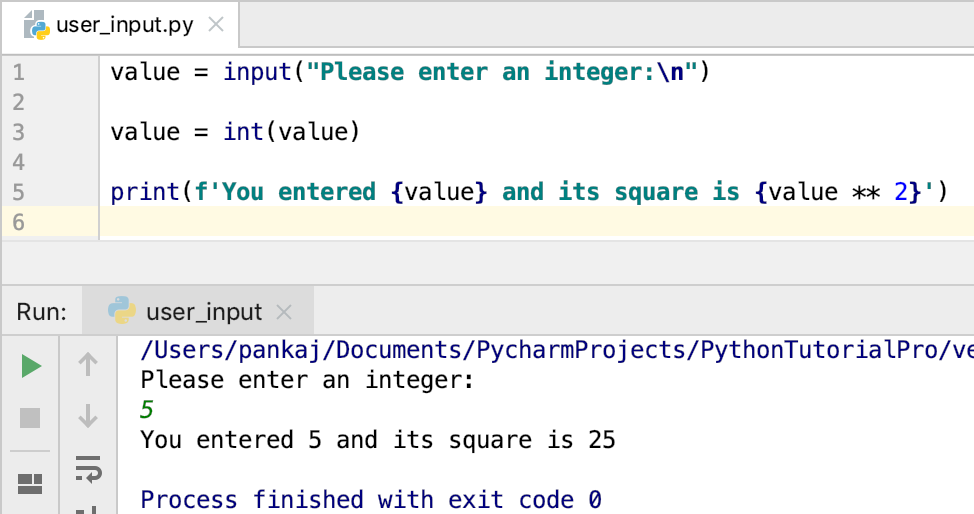
目前无法直接获取整数或其他类型的用户输入。但是,我们可以使用内置函数将输入的字符串转换为整数。
python
value = input("Please enter an integer:\n")

value = int(value)

print(f'You entered {value} and its square is {value ** 2}')
输出:
Python 用户输入和 EOFError 示例
当遇到文件末尾 (EOF) 时,input() 函数会抛出 EOFError 异常并终止程序。让我们来看一个使用 PyCharm IDE 的简单示例。
python
value = input("Please enter an integer:\n")

print(f'You entered {value}')
输出:
shell
Please enter an integer:
^D
Traceback (most recent call last):
  File "/Users/pankaj/Documents/PycharmProjects/PythonTutorialPro/hello-world/user_input.py", line 1, in <module>
    value = input("Please enter an integer:\n")
EOFError: EOF when reading a line
Python 用户输入 EOFError
Python 用户输入引发 EOFError 错误
Python 用户输入选择示例
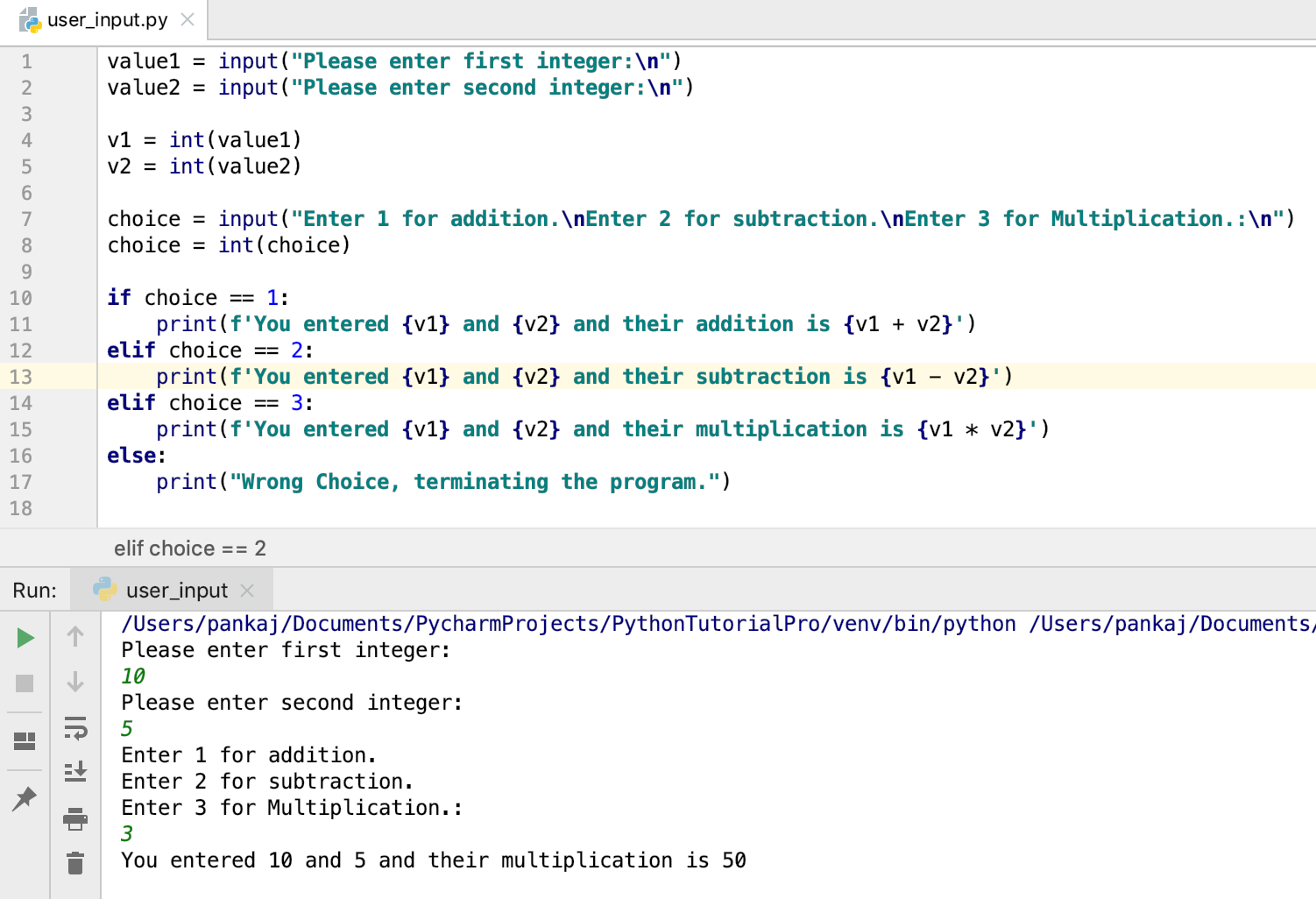
我们可以通过让用户做出选择并根据用户的输入来构建智能系统。
python
value1 = input("Please enter first integer:\n")
value2 = input("Please enter second integer:\n")

v1 = int(value1)
v2 = int(value2)

choice = input("Enter 1 for addition.\nEnter 2 for subtraction.\nEnter 3 for Multiplication.:\n")
choice = int(choice)

if choice == 1:
    print(f'You entered {v1} and {v2} and their addition is {v1 + v2}')
elif choice == 2:
    print(f'You entered {v1} and {v2} and their subtraction is {v1 - v2}')
elif choice == 3:
    print(f'You entered {v1} and {v2} and their multiplication is {v1 * v2}')
else:
    print("Wrong Choice, terminating the program.")
以下是上述程序执行后的示例输出。
关于 Python raw_input() 函数的简要说明
在 Python 2.x 版本中,raw_input() 函数用于接收用户输入。以下是一个来自 Python 2.7 命令行解释器的简单示例,展示了如何使用 raw_input() 函数。
shell
~ python2.7
Python 2.7.10 (default, Feb 22 2019, 21:55:15)
[GCC 4.2.1 Compatible Apple LLVM 10.0.1 (clang-1001.0.37.14)] on darwin
Type "help", "copyright", "credits" or "license" for more information.
>>> value = raw_input("Please enter a string\n")
Please enter a string
Hello
>>> print value
Hello
该函数已被弃用,并从 Python 3 中移除。如果您仍在使用 Python 2.x 版本,建议升级到 Python 3.x 版本。
结论
在Python中,使用input()函数获取用户输入非常容易。它主要用于向用户提供操作选择,然后根据选择改变程序的执行流程。
然而,程序会无限期地等待用户输入。如果能设置超时时间和默认值,以防用户没有及时输入,那就更好了。